Running the service
The queue
What is waiting, what is running, what is backing off, and how fast it is moving.
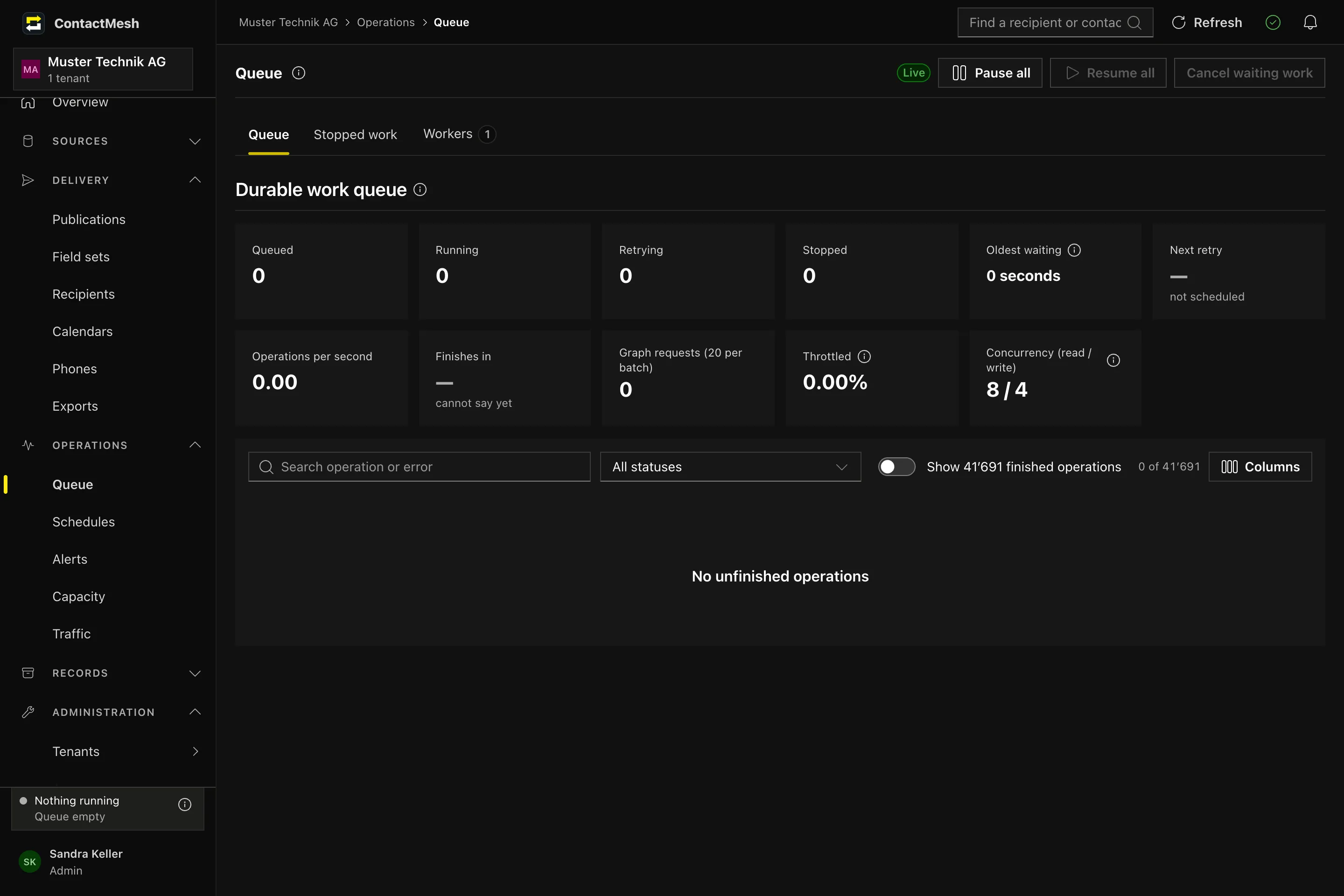
Every change ContactMesh makes is a queued work item: create this contact, patch that one, clear these fields, list this folder. Queue, under Operations in the navigation, is that queue: its Queue tab what waits and runs, Stopped work what stopped, and Workers the processes that do it.
Several operations for one contact collapse into its newest desired state, so a contact edited five times is written once. A failure that may pass is retried under a lease that survives a restart; an item that runs out of attempts stops and waits on Stopped work for somebody to retry it or give it up.
The queue and the alerts are the selected tenant’s; under All tenants they are every tenant’s, and each row names its tenant — a failing schedule names none, because the schedules are the deployment’s. Their buttons act on the same rows, so under All tenants Retry these and Give up say Every tenant is included. when they ask, and Acknowledge all and a group’s Acknowledge these ask first and say the same.
The figures
Section titled “The figures”Pending, running, retrying and stopped are the states. Beside them:
- Oldest waiting — how long the oldest waiting contact work has been waiting, read as the monitoring sensor reads it: pictures, which queue behind every contact on purpose, and work held on purpose — by a paused folder, a switched-off source list or an adoption still to run — are left out. Beneath it, how many queued items a pause holds. A queue that is deep and young is a rollout; deep and old is a problem.
- Next retry — when the next backing-off item comes due. This is the difference between a queue that is stuck and one that is waiting on purpose.
- Operations per second and finishes in — how fast, beside how much. Depth alone says whether there is work, not whether it is moving.
- Graph requests — requests rather than rows. Operations for one mailbox travel together, so a depth of six hundred is not six hundred requests, and the batch count is what predicts both the duration and how hard Graph is about to be hit.
Writing now
Section titled “Writing now”While work is in flight, the Queue tab names the mailboxes being written into at this instant. The counts say how much is moving; this says where.
Scheduled runs
Section titled “Scheduled runs”Reconciliation is the pass that reads folders and compares them with what should be there. It runs on each publication’s own interval and can be started by hand. Schedules, under Operations, lists the schedules on its Schedules tab and what each run did on Recent runs; its header counts those running, paused and failing.
A run that is already going will not be started twice — the button is disabled and says why on hover, because three operators clicking during an incident used to start three passes over the same estate.
Run now, a schedule’s own button, runs it immediately, even while the schedule is paused, and over every eligible target rather than only those that are due; on a paused schedule the button is Resume, and Run now is in its ”…” menu. It does not run through Pause all on Queue: that pause holds every round, asked for or not. The worker runs it, so it is refused while no worker is running; one that has not started it within a few seconds answers that it is queued, and the run appears on Recent runs when it starts.
Run now runs that one schedule and no other. The others go on running on their own timers, each started twenty seconds after the one before it when the worker starts, so their runs do not land together. Under each Last run, manual or scheduled says which started that run.
A target that needs a write while its tenant is in plan mode, such as a folder that does not exist yet, counts under Skipped, with held by plan mode behind the number. It is not a failure, and the first run after plan mode is off does it. A reconciliation of a mailbox Exchange refuses, or of a folder whose name another publication owns, reads nothing and counts there too, named behind the number, rather than as succeeded.
In Last 24 windows, a window is green where its run did its work, red where it failed, amber where a reconciliation picked folders and listed none of them, and hollow where nothing ran. Coverage for the full reconciliation counts the folders listed inside their budget and since their last write; Written since beneath it counts those written to after their listing (see What verified means).
A trigger the scheduler has put in an error state, or considers finished, will not fire again on its own; the Outcome column says so in red, as Trigger stopped with the reason behind its “i”. An administrator recreates it by saving the schedule’s Frequency, in its ”…” menu, beside the pause. Next run, Duration and Consecutive failures are behind Columns.
A schedule’s frequency and its pause stay here, beside its runs, rather than on Settings: each is about one schedule, and what a change did shows in the rows under it. Saving a frequency is an Admin’s; pausing and resuming are an Operator’s.
A schedule has no timing to change until a worker has registered it: its state is seeded when a worker starts, and only then can its frequency be saved. On a deployment whose worker has not started yet, start one, or wait for it to register, and save again.
Alerts
Section titled “Alerts”Alerts, under Operations, lists the newest hundred alerts of each kind on its Active tab. The counts above the list cover every open alert in scope, including those beyond it. Acknowledged holds the ones somebody acknowledged, and System checks the monitoring sensor’s channels, as Monitoring describes them. An acknowledgement lasts as long as its alert: once the condition clears, it is gone, and the same condition coming back raises a new alert to acknowledge.