Publishing contacts
Field sets
Deciding which fields each audience receives — and taking one back.
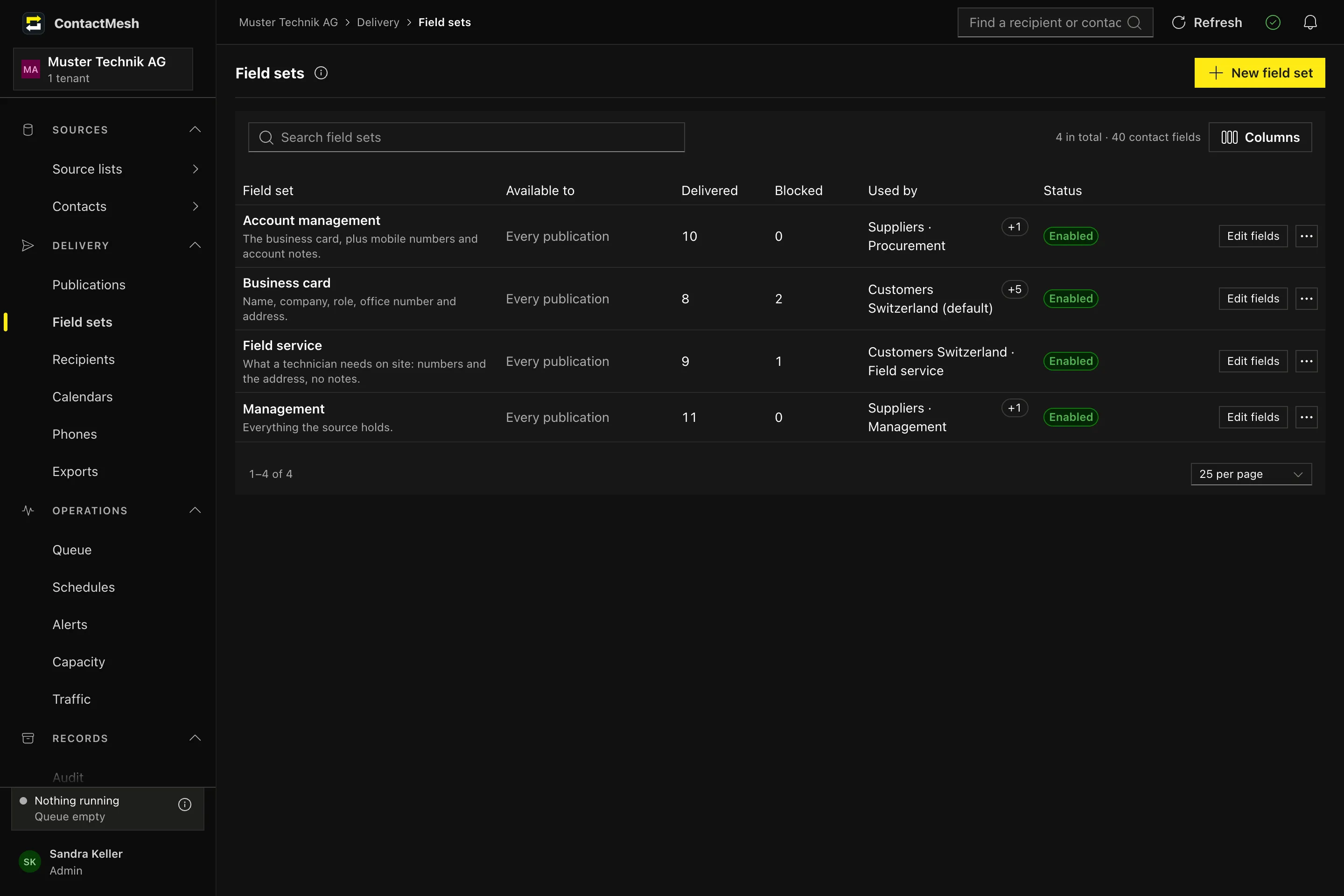
A field set is a list of contact fields. A publication has a default one, and any audience within it can override that.
A field not in the set is not published: it is never written to the recipient’s mailbox, so it cannot be read from a phone that has synced the folder, exported by the recipient, or found by a search. There is no view-level hiding anywhere in this product.
A field set offers every field Microsoft Graph has for a contact. Which Outlook fields those are, and which Outlook fields have no Graph property at all, is listed in Contact fields.
Numbered entries
Section titled “Numbered entries”Outlook numbers four things by position — Email 1 to 3, Business phone 1 and 2, Home phone 1 and 2, IM address 1 to 3 — and each position is its own row with its own answer. So a company whose rule says Business phone 1 is the switchboard and Business phone 2 the direct mobile can publish either, both, or neither.
A position that is not synchronised is delivered empty, not removed. The entries after it keep their number: withholding Business phone 1 delivers the mobile as Business phone 2, which is where the source has it, rather than moving it into the slot a recipient dials first. An empty position at the end is simply absent.
There is no setting to move later entries up. Outlook’s labels are fixed, so promoting an entry delivers it under a label that is not its own — and the same number would then mean “promoted” on one card and “left over from a withdrawal” on another. If an audience should read a mobile as the main number, that belongs in Mobile phone at the source.
Sensitivity
Section titled “Sensitivity”Fields carry a sensitivity, and the highest one in a set is shown beside it. A set including private mobile numbers is marked restricted, and that mark follows it onto every screen that offers it, so choosing one is an informed decision rather than a name in a dropdown.
Positions carry their own: Email 2 and Email 3 are restricted where Email 1 is not, so a set granting only the first address is not marked restricted for the sake of the two it does not grant.
Withdrawal
Section titled “Withdrawal”Removing a field — or one position of one — from a set is not only a decision about future writes. Every card already delivered carrying it is patched to clear it, as its own queued work with its own evidence, because a withdrawal that only applies to new contacts is not a withdrawal.
It reaches recipients nothing may be delivered to as well: a paused publication, a rollout wave that has not been released, a source list that is switched off. Those hold new writes and never hold a withdrawal, and the strip that runs reads the card first so that the positions the recipient still has are left exactly where they are.
This is the same machinery that runs when somebody leaves a group: the fields they were entitled to through that membership are cleared from every card they hold.
A set belongs to one tenant: New field set asks which under All tenants, and a set made from a publication’s Fields tab is that publication’s tenant’s.
Available to says which of the tenant’s publications may use a set. Left empty, which is the ordinary case, it means every publication of the tenant; naming publications narrows the set to those.
The list counts wherever the set is used, not only where it is chosen. A publication that is not on it gets nothing from the set, even where it still names it as its default or for an audience: an audience’s set it may not use leaves those recipients on the publication’s default, and a default it may not use leaves them with the display name alone. So taking a publication off the list withdraws the set’s fields from its recipients, and the cards they already hold are cleared as described under Withdrawal; putting it back delivers them again.
A change to the fields of a set that a delivering publication uses, or to which publications may use it, waits for the publications it reaches to be signed off again before it is delivered; the confirmation before saving and the message after it name the publications that wait. Clearing a withdrawn field never waits.
Disable, in a set’s ”…” menu, stops it being offered to new publications, and is refused while a publication, a device group or an audience still uses the set. A disabled set reads Disabled, its ”…” menu offers Enable instead, and saving its fields with Edit fields keeps it disabled.
Delete permanently, in a disabled set’s ”…” menu, removes the set for good once its name is typed back. While a publication, a device group, an Entra group or a person still chooses the set, it is refused, and the refusal names each of them.